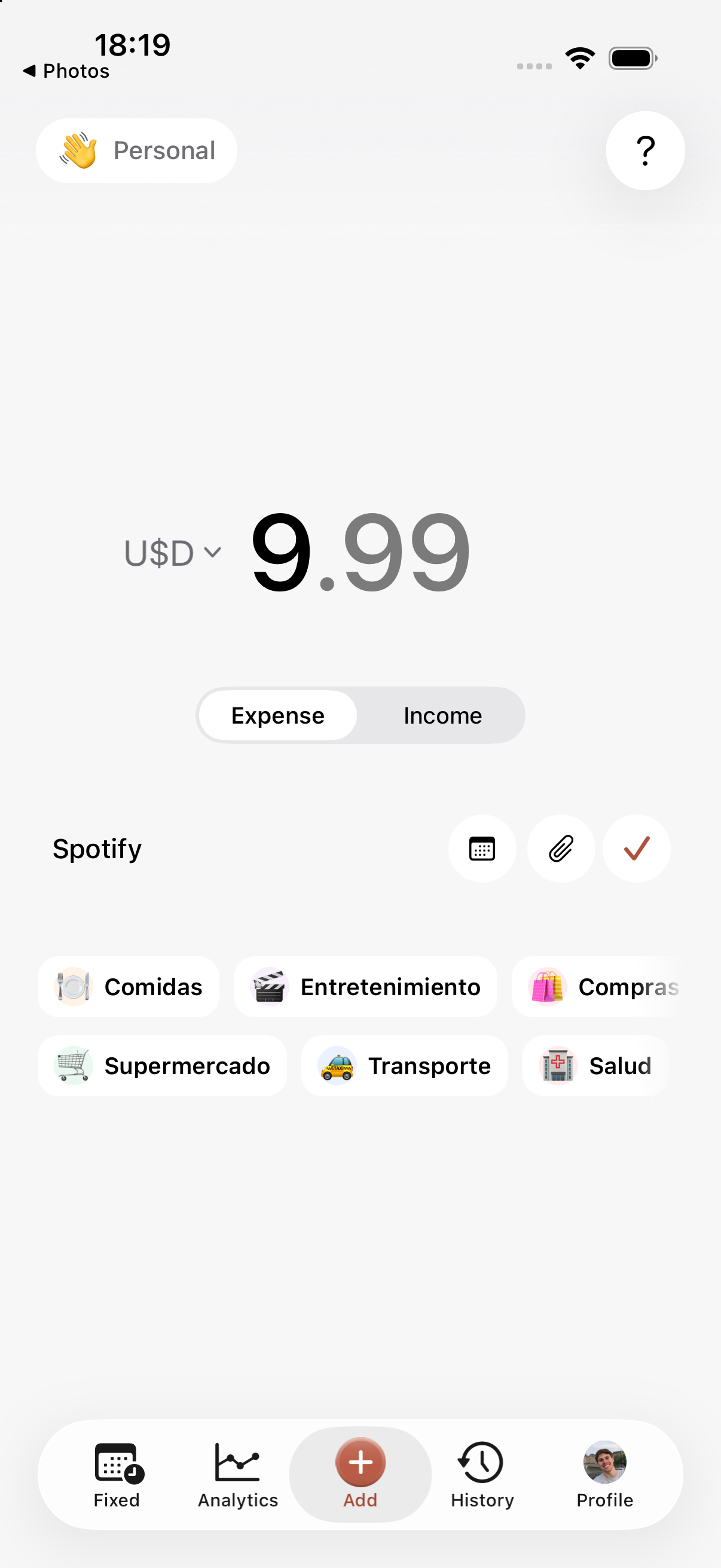
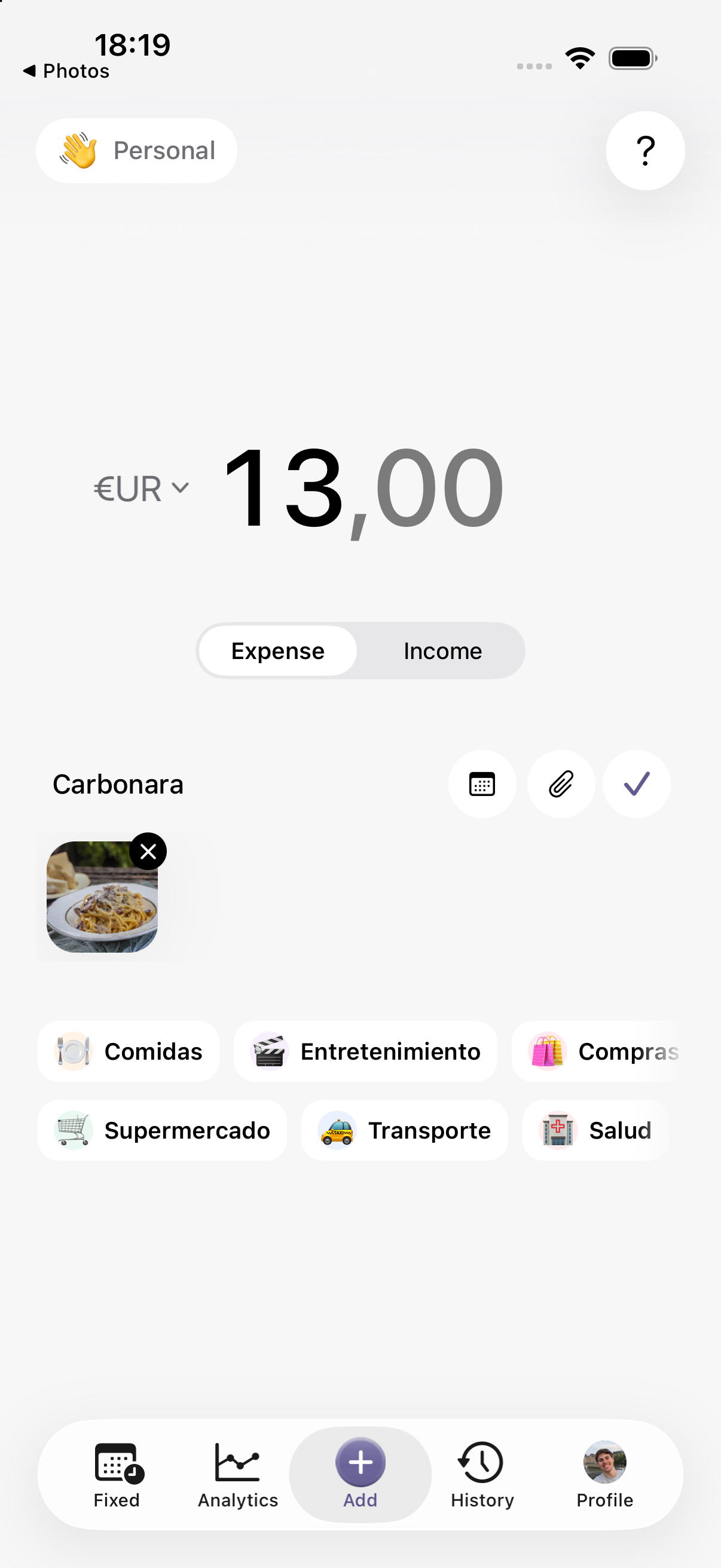
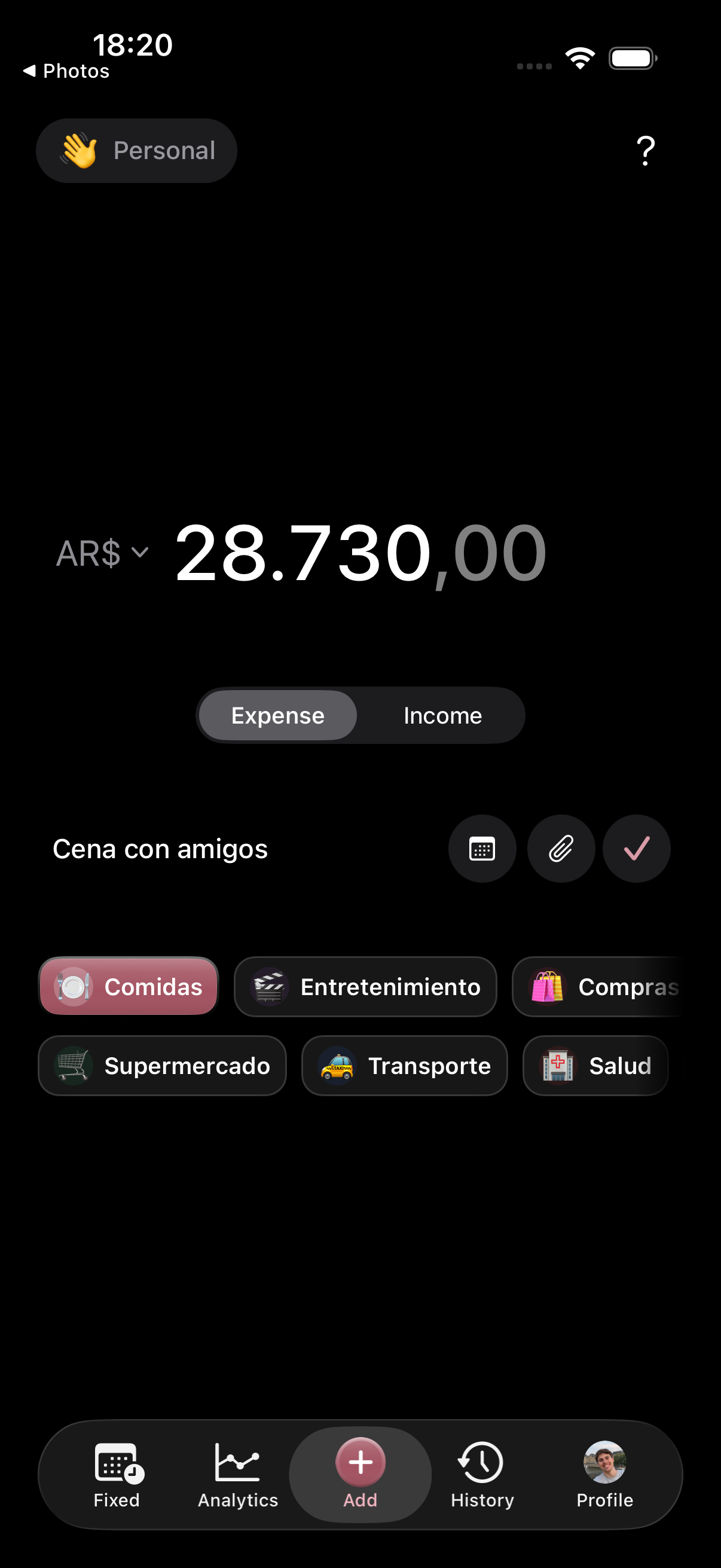
Expense entry
Log it in seconds.
Coffee, groceries, a night out. Add the amount, a category, and any receipts you want to keep. No fuss.

No AI. Works offline.
USD 5.99. No subscriptions or ads.
All on your device.
tambo. is an offline expense tracker for iPhone. Track spending and income without signing up, connecting your bank or paying a subscription. Your data stays on your device.
Expense entry
Coffee, groceries, a night out. Add the amount, a category, and any receipts you want to keep. No fuss.
History
Your whole month organized by date and category. Every expense keeps its note and attachments together, so nothing gets lost.

Analytics
See how much you spent and how it breaks down by category. A clear view of your month, without building a spreadsheet.


Rent, bills, subscriptions. Set them up once and tambo. records them on each due date.
I loved it. It helped me understand my spending and get much more organized. It's so practical, highly recommended 👏🏻
Great app!! Since I got it, I manage my spending better. Very easy to use and understand. Highly recommended!!
I love how simple it is. As soon as I make a payment, I log it :) It really helped me organize my money.
Translated from Spanish.

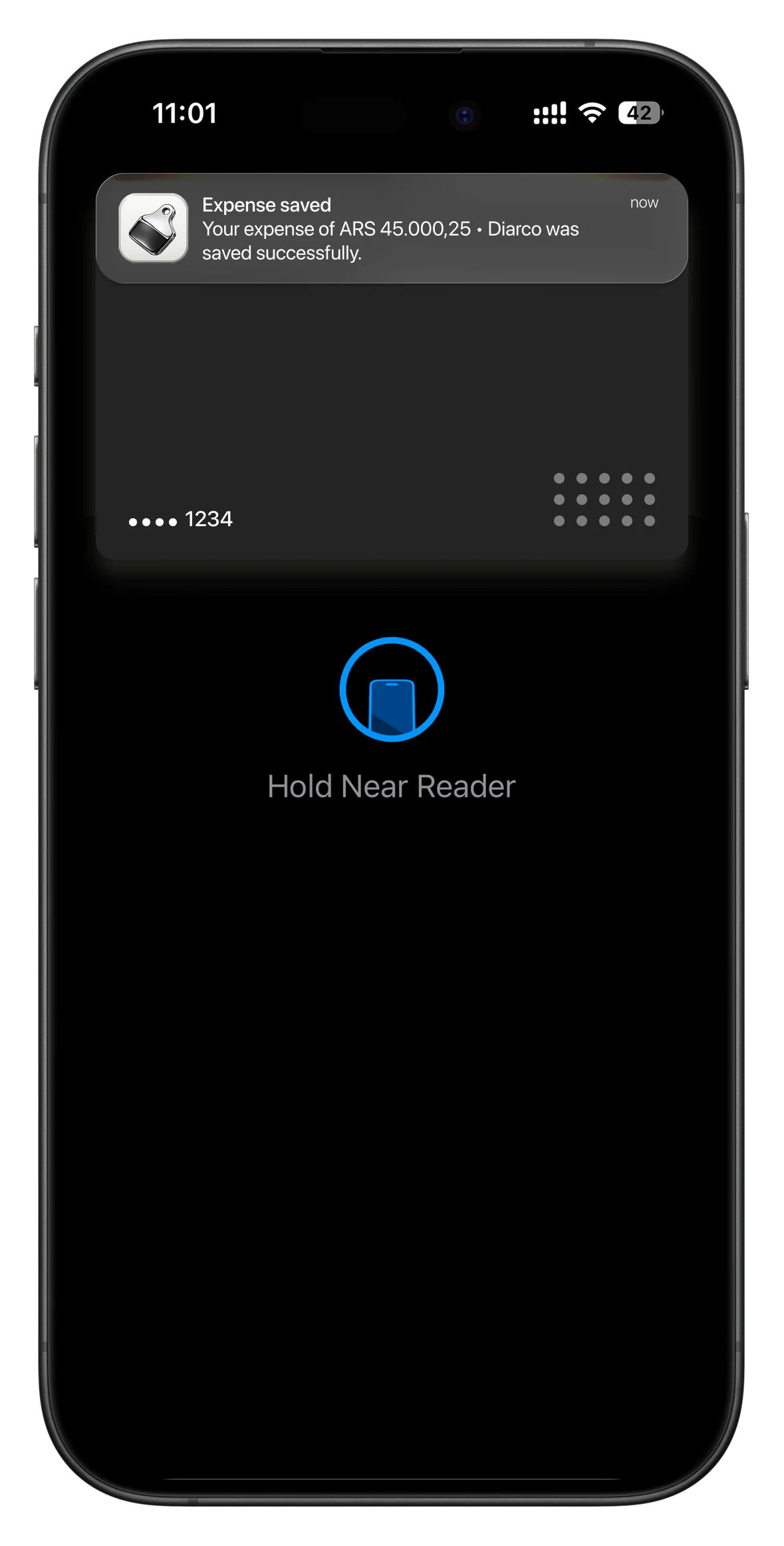
Set up Shortcuts once: payments with your iPhone and selected cards save the amount, currency and merchant in tambo.
Set up Apple PayAvailable on iPhone with iOS 17 or later.


Still have a question? We're here to help.
tambo. is a personal finance app made in Argentina by Patricio Albornoz. It helps you log expenses and income, understand your spending and organize installments, recurring expenses and category budgets. It is for people who want to keep their own records without connecting bank accounts.
tambo. is available for iPhone on the App Store. The Android version has not been published on Google Play yet: it is listed as coming soon.
Yes. tambo. supports expenses in ARS, USD, and EUR, as well as UYU, CLP, and BRL. You can also organize installments, recurring expenses, and expense groups for a trip or project.
Yes. You can set monthly limits by category and check how much you have spent or how much remains. Limits belong to each local account, so you can separate personal spending from a trip or project.
Yes. On iPhone, you can set up a Wallet automation in Apple Shortcuts to save the amount, currency and merchant in tambo. The automation needs to be configured; it does not connect your bank or automatically import your entire history.
It's intentional. We want logging expenses to become a habit that helps you notice where your money goes, spot the small purchases that add up, and choose which ones to cut back. tambo. prioritizes simplicity, privacy, and offline use.
You can log and view your expenses offline. Updating exchange rates requires internet; without a connection, the app uses saved rates when available. Your expenses stay on your device.
No. tambo. costs USD 5.99 as a one-time purchase. No subscriptions and no ads.
No. tambo. works without registration or sign-in. You enter your expenses and can organize them in local accounts, without connecting your bank.
Expenses, income, notes, bills, and files are stored on your device. This version of tambo. does not include cloud synchronization.
In Profile → Data tools, choose Create backup, then JSON backup. Save the file outside tambo., for example in Files. It includes expenses, income, accounts, categories, monthly limits, fixed expenses, and income schedules. You can also choose CSV to export expenses only for spreadsheets. Attachments, your profile, and preferences are excluded: keep receipts separately.
In Profile → Data tools, choose Import your expenses, tap Choose file, and select your tambo. JSON or CSV backup. Review the preview and confirm. tambo. adds missing records; matching accounts and categories keep their current settings and limits. CSV files restore expenses only.
Open the side menu, choose Manage accounts, and edit the account you want to delete. This removes that account’s records and attachments, but not your profile. At least one account must remain. You can clear profile fields and remove the photo in its editor.


